Elevate Your Kubernetes Skills: Key Insights for Acing CKA and CKS

Achieving certification in the Certified Kubernetes Administrator (CKA) and Certified Kubernetes Security Specialist (CKS).
- We're all familiar with the syllabus and structure available on the official pages. In this post, I'll be sharing a fast-track method to attain the certification, assuming you have around two years of experience in Kubernetes.
Maximizing Efficiency in CKS Exam Preparation: Emphasis on Practice and Speed
When preparing for the Certified Kubernetes Security (CKS) or Certified Kubernetes Administrator (CKA) exam, two key elements play a crucial role in your success: practice and speed.
It's essential to familiarize yourself with imperative commands, which can significantly streamline your workflow. Keeping a handy list of these commands can be a game-changer. Here are a few critical commands, among others, to remember:
Creating Secrets Quickly: Instead of dealing with the complexities of YAML definitions and base64 encoding, use the
create secretcommand for swift creation. For example:kubectl create secret generic --from-literal=username=admin --from-literal=password=adminThis command allows you to swiftly set up secrets, a fundamental aspect of Kubernetes security.
Creating a Service Account: Simplify the creation of service accounts with this command:
kubectl create serviceaccount readonly-sa --namespace=devThis is an efficient way to manage access within different namespaces.
Defining Roles: Establish roles easily with:
kubectl create role dev-role --namespace=dev --verb=get --resource=podsThis command helps in setting up roles that define what actions are permitted on specific resources.
Setting Up Role Bindings: To link roles to service accounts, use:
kubectl create rolebinding dev-rolebinding --namespace=dev --role=dev-role --serviceaccount=dev:readonly-sa
Other keys to keep handy,
Creation of Persistent Volumes (PV)
Creation of Persistent Volume Claims (PVC)
Creation and management of Pods
Effective Documentation Utilization:
For instance, consider using the official Kubernetes documentation at https://kubernetes.io/docs/home/.
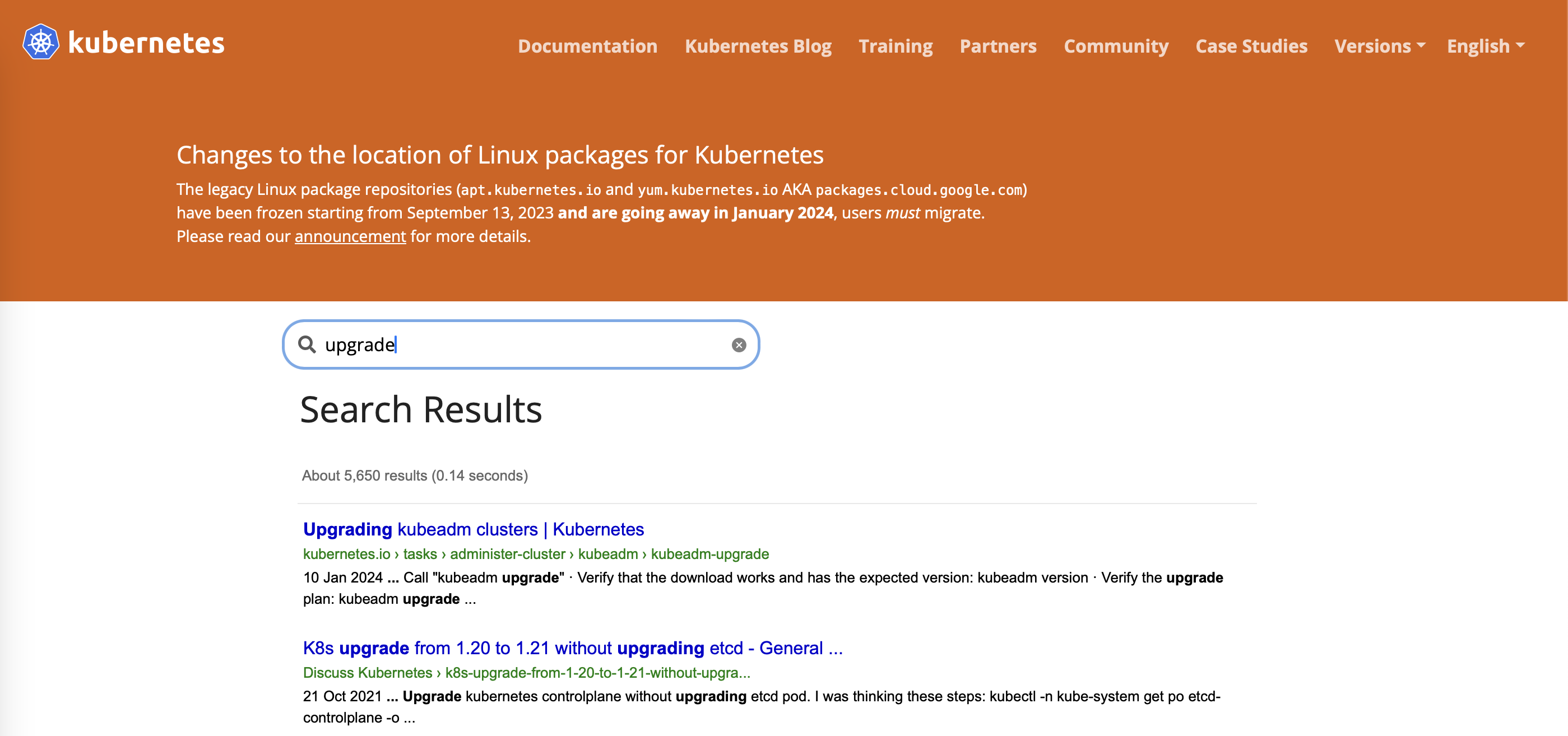
It's crucial to develop proficiency in locating specific information, such as steps for upgrading a cluster.
When searching for "upgrade," ensure that the sources you refer to are from the official Kubernetes documentation (URLs containing 'kubernetes.io'), rather than relying on discussions or forum pages. This approach guarantees accurate and authoritative information.
Study Materials and Resources Utilized for Exam Preparation
CKA:
Kodekloud
practices test from http://killer.sh/
https://github.com/kodekloudhub/certified-kubernetes-administrator-course/tree/master/docs
CKS:
practices test from http://killer.sh/
https://github.com/kodekloudhub/certified-kubernetes-security-specialist-cks-course/tree/main/docs
https://kodekloud.com/courses/certified-kubernetes-security-specialist-cks/
https://github.com/ramanagali/Interview_Guide/blob/main/CKS_Preparation_Guide.md
Good Luck!
About the author
A Software Product Engineer, Cloud enthusiast | Blogger | DevOps | SRE | Python Developer. I usually automate my day-to-day stuff and Blog my experience on challenging items.
Comments
Join the discussionNo comments yet. Be the first to comment.